Pinnacle Lite

Big learning potential for smaller teams.

Pinnacle Lite is our e-learning solution offering a scaled-down version of our flagship Pinnacle Series system. Pinnacle Lite requires less setup and customization, making it the ideal choice for small or mid-sized companies in need of learning resources for teams of 25 people or fewer.
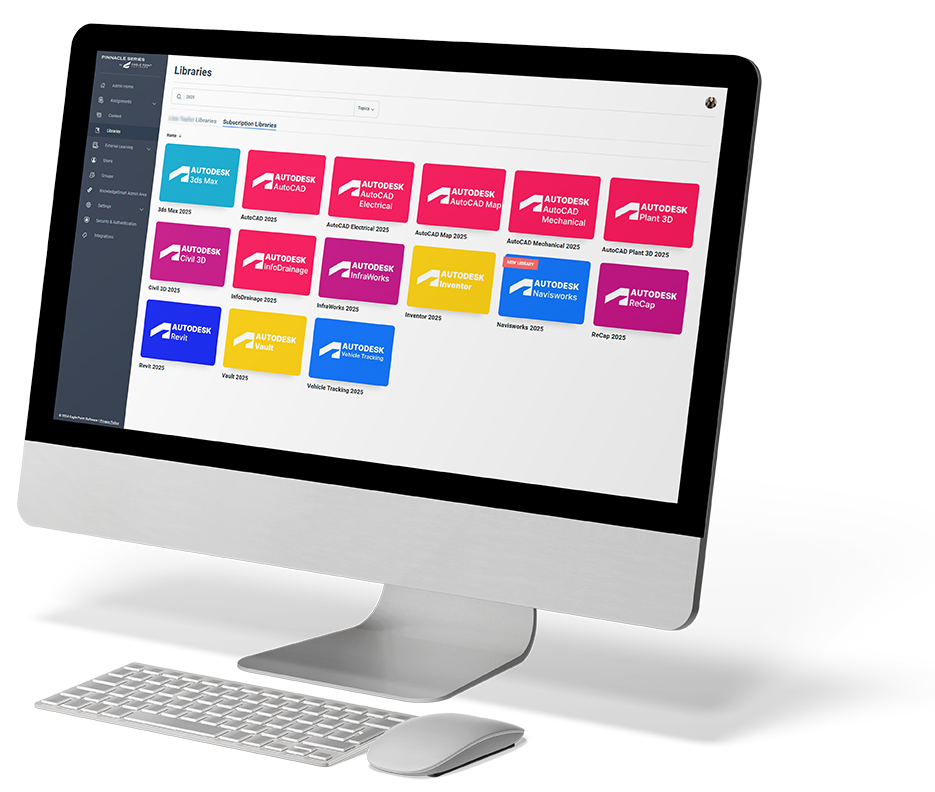

Pinnacle Lite

Introducing the Peak Experience for Pinnacle Lite

The Peak Experience is our latest platform upgrade. It delivers improved searching and filtering, streamlined system navigation, bookmarks, and quick access to course content, learning history and certificates. We’ve designed a more intuitive, modern user interface for an improved course consumption experience, and also given the underlying system a boost for a more responsive content library and faster search load times.

Transform your training with industry-leading content & tools.

Supercharge efficiency

Supercharge efficiency

Find answers in seconds with Pinnacle Lite’s robust search feature and comprehensive libraries of expert-created AEC & M learning content.

Save time & money on training

Save time & money on training

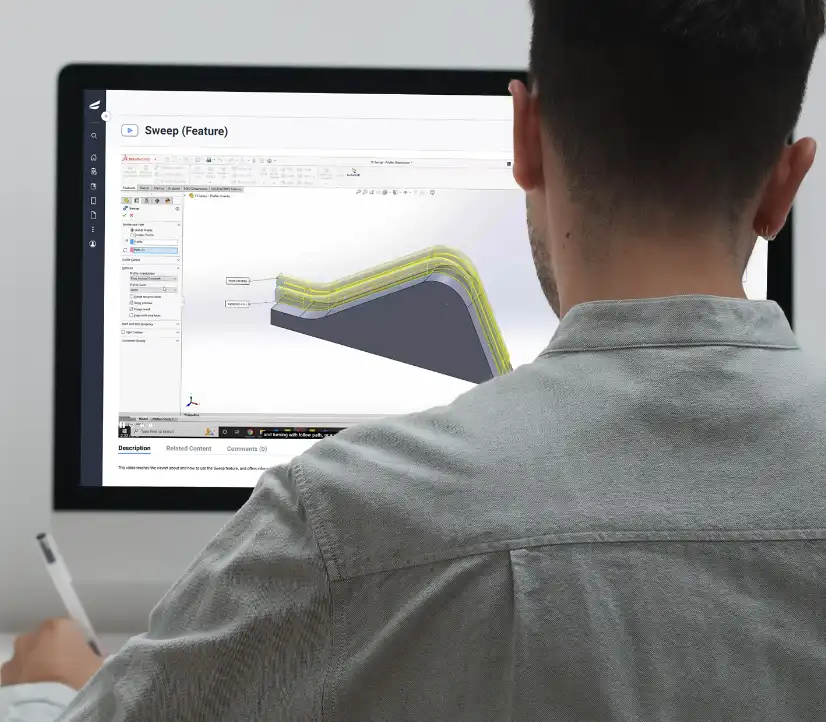
Pinnacle Lite has the latest training on top software titles and AEC & M skills, so employees can quickly learn what they need to then get back to the work that really matters.

Reliable, up-to-date content

Reliable, up-to-date content

Access Pinnacle Lite’s cloud based e-learning platform anywhere with content libraries packed with thousands of on-demand videos, documents, and workflows.

Leverage experts with live events

Leverage experts with live events

Dive into weekly live interactive training events led by industry veterans on the Eagle Point Software content team.
Key Pinnacle Lite Benefits

  • Reduced rework and errors on billable projects
  • Improve employee retention and culture
  • Increased learning retention with small, manageable courses
  • Content created by and for AEC & Manufacturing professionals
  • 90+ languages available for content translations to work seamlessly around the world

  • Future Development
  • Feature Availability
  • Enhanced
  • Supercharged
 

Pinnacle Lite

Pinnacle Series

Management

  • Assignments

    Assignments

    New Features:
    Visibility to data and users based on organizations structure, full listing of all enrollments with ability to view and edit assignments across both learning and assessment assignments. Filtering across all assignments based on assigned content title or type, assignment status & due date, as well as user domain or type. New features in the assignment process included better transparency of user assignment history, smoother selection of content and users, and HTML based in browser email functionality.

  • External Learning
  • Custom Content & Libraries

    Custom Content & Libraries

    New Features:
    Browser based content management, modern user friendly experience, content management and visibility permissions based on organizational structure, better control over content publication, additional content meta data options, expanded content organization options, ability to view in list or tiles, ability to associate content and library images, library descriptions, faster control over content visibility to users, ability to assign individual certificates based on learning paths, increased learning path consumption controls, ability to export content change summary.

  • Custom Live Events

    Custom Live Events

    In Development:
    Live Events calendar & tile views, improved ability to register for single or reoccurring events, graphical Live Event details page, improved search & filters capabilities, increased visibility of Live Event data, cleaner user experience, ability to register on behalf of users, ability to invite/assign/register users and view event data based on organizational structure, intuitive access to Live Event data, ability to customize email communications from within the application, ability to create Live Event templates, ability to control visibility of subscription Live Events, ability to edit a single event within a reoccurring series, ability to assign a certificate to a live event.

  • SPARK: AI-Powered Nano-Learning

    SPARK: AI-Powered Nano-Learning

    Enable SPARK Nano-learning for the right teams within your organization, update the AI tool to populate the right learning for users, customize communication settings for new learning, messaging, and more!

  • Reporting

    Reporting

    The new browser-based reporting portal delivers deeper visibility into how teams learn and perform, with expanded insights across assessments, learning activity, content consumption, and overall platform usage. It includes tiered organizational permissions, advanced filtering by user attributes and metadata, new APIs for seamless integrations, automatic report subscriptions, improved export options, and more – making it easier than ever to measure progress and take informed actions when it comes to employee development.

Settings & Security

  • Branding and Customization

    Branding and Customization

    New Features:
    Streamlined theming options, new background image option, easier branding management.

  • Active Directory Sync & Single Sign On
  • Integrations
  • Settings
  • User Management & Permissions

    User Management & Permissions

    New Features:
    Organizational role based permissions for assigning content and assessments, new three tiers of Content Management permissions enabling better control over content creation, publication, and management of organizational standards.

  • Group Management

User Experience

  • AI Chatbot

    AI Chatbot

    Users ask questions within the AI chat tool, which provides curated answers citing Pinnacle Series content with links to the source material. Users will have the ability to expand on questions through the chat.

  • SPARK: AI-Powered Nano-Learning

    SPARK: AI-Powered Nano-Learning

    Grow you knowledge and avoid learning fatigue with nano-learning in SPARK. Update your areas of interest to ensure this AI-powered tool shares the latest content that is hyper-personalized to you.

    SPARK: AI-Powered Nano-Learning

    Grow you knowledge and avoid learning fatigue with nano-learning in SPARK. Update your areas of interest to ensure this AI-powered tool shares the latest content that is hyper-personalized to you.

  • Viewing & Consuming Content

    Viewing & Consuming Content

    New Features:
    Cleaner user experience, increased visibility of content data, improved enrollment experience and visibility of course completion status, access to the course description while within a course, an improved quiz consumption experience, visibility to quiz data upon completing the quiz, improved workflow viewing experience.

    Viewing & Consuming Content

    New Features:
    Cleaner user experience, increased visibility of content data, improved enrollment experience and visibility of course completion status, access to the course description while within a course, an improved quiz consumption experience, visibility to quiz data upon completing the quiz, improved workflow viewing experience.

  • Translations

    Translations

    You can now easily translate Universal Documents—including Word, PowerPoint, Excel, and PDF files—directly within Pinnacle Series. Break language barriers and make your content accessible to teams around the globe!

    Translations

    You can now easily translate Universal Documents—including Word, PowerPoint, Excel, and PDF files—directly within Pinnacle Series. Break language barriers and make your content accessible to teams around the globe!

  • Personalized Learning

    Personalized Learning

    Personalized learning assignment based on assessment results, completion of the personalized learning.

  • Completing & Reviewing Assignments

    Completing & Reviewing Assignments

    New Features:
    Links to KnowledgeSmart, Visibility to assigned assessments alongside assigned learning, better transparency to assignment status, improved searching, card and tile views for learners.

  • Role Based Learning

    Role Based Learning

    In Development:
    List and tile view of role based learning, improved user experience of viewing and completing role based learning, improved search and filter functions.

  • Libraries

    Libraries

    New Features: Streamlined theming options, new background image option, easier branding management. Features not added yet: customization of the home page layout, ability to create landing pages, ability to assign layouts based by groups.

    Libraries

    New Features:
    Improved graphical experience for users, ability to combine subscription and custom libraries, abilities to create libraries from a copy of subscription, ability to add library descriptions, publication of content via sharing to groups, faster generation of content, ability to choose between tile and list views, add Featured Libraries for particular groups.

  • Work Groups

    Work Groups

    New Features:
    Organizing content for teams and groups is accomplished through Peak Libraries. Additional Classic Work Group features such as notifications, reporting, and assignments will be addressed in future projects.

  • Search

    Search

    New Features:
    Modern graphical interface, difficulty and meta data visibility, faster response times, enrolling into content from search, enrollment status visibility

    Search

    New Features:
    Modern graphical interface, difficulty and meta data visibility, faster response times, enrolling into content from search, enrollment status visibility

  • Live Events

    Live Events

    In Development:
    Live Events calendar & tile views, improved ability to register for single or reoccurring events, graphical Live Event details page, improved search & filters capabilities, increased visibility of Live Event data, cleaner user experience, ability to register on behalf of users, ability to invite/assign/register users and view event data based on organizational structure, intuitive access to Live Event data, ability to customize email communications from within the application, ability to create Live Event templates, ability to control visibility of subscription Live Events, ability to edit a single event within a reoccurring series, ability to assign a certificate to a live event.

    Live Events

    In Development:
    Live Events calendar & tile views, improved ability to register for single or reoccurring events, graphical Live Event details page, improved search & filters capabilities, increased visibility of Live Event data, cleaner user experience, ability to register on behalf of users, ability to invite/assign/register users and view event data based on organizational structure, intuitive access to Live Event data, ability to customize email communications from within the application, ability to create Live Event templates, ability to control visibility of subscription Live Events, ability to edit a single event within a reoccurring series, ability to assign a certificate to a live event.

  • My Assets / Bookmarks / Documents

    My Assets / Bookmarks / Documents

    New Features:
    Separation of My Documents and Bookmarks, improved visibility of content details, faster adding and removing for Bookmarks, improved graphical user experience.

    My Assets / Bookmarks / Documents

    New Features:
    Separation of My Documents and Bookmarks, improved visibility of content details, faster adding and removing for Bookmarks, improved graphical user experience.

  • External Learning (End User)

    External Learning (End User)

    In Development:
    Improved external learning submission process, end user visibility of external learning alongside Pinnacle Series learning.

  • User Profile

    User Profile

    New Features:
    Transcript area with download options, access to platform downloads. Features not added yet: submitting external learning

    User Profile

    New Features:
    Transcript area with download options, access to platform downloads. Features not added yet: submitting external learning

  • Notifications

    Notifications

    In Development:
    Visibility to notifications in the interface, link to KnowledgeSmart, pop out to view longer notifications.

    Notifications

    New Features:
    Visibility to notifications in the interface, link to KnowledgeSmart, pop out to view longer notifications, send notifications on individual content items, trigger and receive notifications on new content published to libraries .

Hover over the dots to learn more about the feature!

Got it!

Thousands of on-demand resources at your fingertips

With Pinnacle Series, your team gets on-demand access to libraries of learning content covering the software skills they need to know to work efficiently and productively.