This beginner-friendly course equips users with the essential skills to navigate Microsoft Copilot across desktop, mobile, and web platforms, regardless of account type. Learners will explore key features like Copilot Daily, Voice, Pages, and conversation modes to enhance productivity, prompting techniques, and seamless integration with Microsoft Edge.
Search Our Content Library
- Accredited Learning
- Adobe
- AI in AECO + D&M
- Arch-Intelligence
- Autodesk
- Autodesk Forma (Formerly ACC)
- Bentley
- Bluebeam
- Business & Management Skills
- Camtasia
- Egnyte
- Enscape
- ESRI
- Evolve MEP
- Global BIM Standards
- Green Badger
- Guardian
- Health & Safety
- HEC-RAS
- Ideate Software
- Lumion
- Manufacturing Design
- McNeel
- Microsoft
- Newforma
- Newforma Konekt
- OneClick LCA
- Panzura
- Pinnacle Series
- Procore
- Project Management
- Revizto
- SketchUp
- SmartDraft
- Solibri
- SolidWorks
- Tekla
- Twinmotion
- US Army Corps of Engineers
- V-Ray
- Course Library
- /
- Microsoft
- /
- Microsoft Copilot Learning Path
- /
- Microsoft 365 Copilot (365)
Learning Path Courses:
-
Microsoft Copilot for Personal Use - Non-Business Edition
-
Copilot Create: The Future of Creative Design
Microsoft 365 Copilot Create is an AI-powered design workspace that enables users to generate images, posters, videos, and forms from text descriptions or templates—directly within Word and PowerPoint. This course uses real-world examples to showcase how Copilot Create enhances productivity and brand consistency, while highlighting prompt strategies and design limitations.
-
Copilot Create: Brand Kits and Cross App Workflows
This course teaches you how to build and apply Copilot Create Brand Kits to produce consistent, high-quality visuals across images, banners, infographics, and videos. You’ll practice streamlined workflows, explore key editing tools, and generate reusable, on-brand assets ready for real-world deployment.
-
Microsoft 365 Copilot for Beginners
Microsoft 365 Copilot for Beginners is a foundational course designed to introduce users to the capabilities of Copilot within Microsoft 365, helping them embrace productivity, automate tasks, and work more efficiently.
-
Microsoft 365 Copilot Chat for Beginners
Microsoft 365 Copilot Chat for Beginners is an introductory course designed to help users understand and effectively use Copilot’s chat feature within Microsoft 365 to boost productivity and streamline tasks.
Like what you see? We’d love to give you a guided tour of the best Pinnacle has to offer.
Book Your DemoTrusted By Leaders









Before You Go
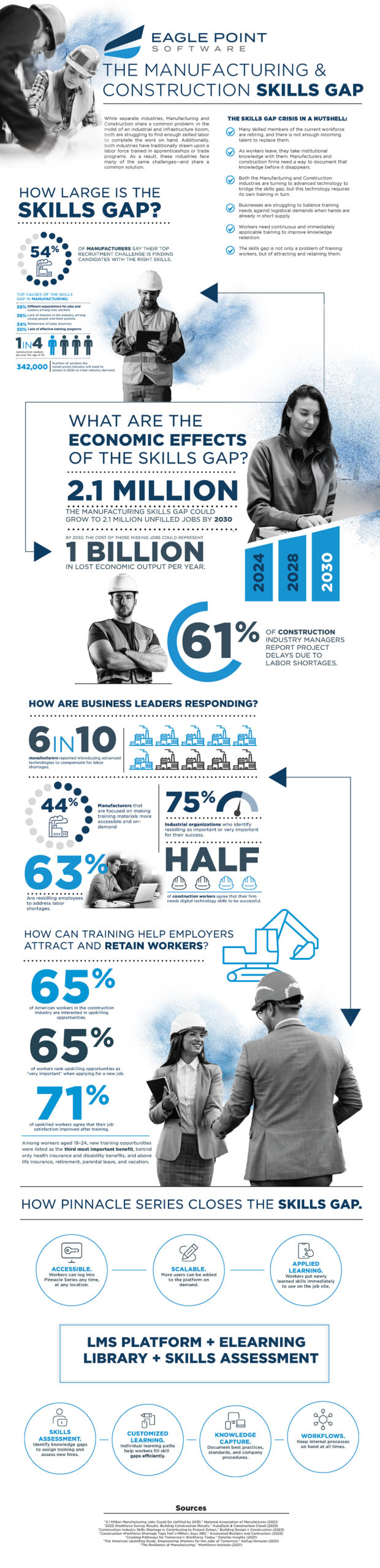
Understanding the Manufacturing & Construction Skills Gap
We went deep into the latest market research and created a resource to give you fresh insight into your recruitment challenges.