From Training to Adoption: Trimble Learn in Pinnacle Series
From Training to Adoption: Trimble Learn in Pinnacle Series
In August, Eagle Point Software and Trimble announced a collaboration that brings official Trimble Learn content directly into Pinnacle Series. It’s an exciting step, and it gives organizations that rely on SketchUp and other Trimble solutions an additional trusted platform to build skills alongside the rest of their technology stack for AECO professionals.
But the real value of this collaboration isn’t just more training content. It’s what happens after the training is complete, when designers, engineers, and project teams need to apply what they’ve learned to real projects, deadlines, and deliverables. That’s where applied learning comes in, and it’s why bringing Trimble Learn into Pinnacle Series matters for technology adoption in the construction industry.
Why Training Is Only the Beginning
One of the most common things we hear from technology leaders is some version of “We trained everyone, so why are people still struggling?” The software has been rolled out, and the courses have been completed, yet a few months later support requests are climbing and teams are using different approaches to the same tasks.
In most cases, the problem isn’t a lack of training. People leave a course with a solid grasp of the concepts, but the details fade when weeks or months pass before they need a specific tool or workflow on a live project. A designer who learned SketchUp’s component tools during onboarding may not touch them again until a client deadline looms, and that’s exactly when they need answers quickly and accurately.
That’s why technology adoption is shaped less by course completions and more by what happens once employees return to their work. During project execution, features like AI Chat, Videos, and the Related Learning plugin give teams fast answers right when they need them. Organizations that make knowledge easy to find during execution see more consistent processes, faster onboarding, and stronger use of the software they’ve already invested in.
What’s Now Available in Pinnacle Series
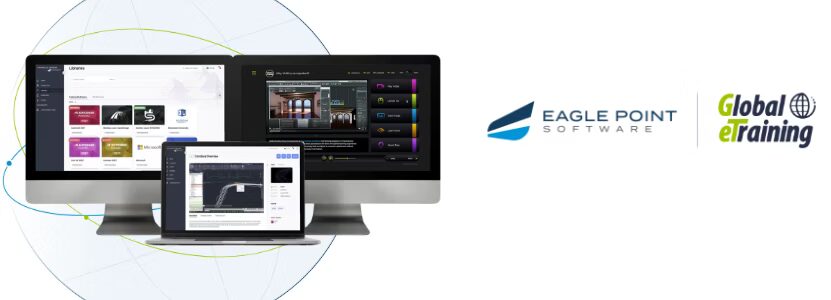
Through our content collaboration with Trimble, Pinnacle Series subscribers now have access to official Trimble Learn content, with additional releases coming.
Trimble Learn – SketchUp
The new SketchUp Fundamentals Library is built for professionals in architecture, interior design, landscape design, and other design workflows. It includes one Learning Path made up of four Courses that move from getting started to working accurately and organizing models:
- SketchUp Fundamentals: Quick Start
- Core Concepts & Accuracy
- Drawing Tools, Selections, Organization & Components
- Advanced Modeling Tools
The Library includes 36 Videos and a supporting Document, along with a KnowledgeSmart assessment aligned to the Learning Path, so organizations can measure skill levels before and after training.
Trimble Learn – Trimble Unity
The Trimble Unity Construct Learning Path introduces foundational Trimble workflows for design and asset management. It starts with an Introduction to Trimble Asset Lifecycle Management and Trimble Unity Construct: Secure TID Activation and Account Management, and it will continue to grow as new Trimble content is added to Pinnacle Series.
Turning Trimble Training into Everyday Capability
Official Trimble Learn content gives employees a strong, accurate foundation. Pinnacle Series helps them carry that foundation into their daily work, because applied learning brings learning directly into the work itself rather than asking people to stop working so they can learn.
Here’s how that looks for teams using SketchUp and Trimble solutions:
- Assess, then personalize. KnowledgeSmart assessments identify where each person’s skills stand, and Personalized Learning points them to the Courses and Learning Paths that close their specific gaps instead of sending everyone through the same training.
- Pair out-of-the-box training with company standards. Organizations can place their own Workflows, Documents, and templates right next to the Trimble Learn Library, so employees learn both how SketchUp works and how your organization expects it to be used on projects.
- Find answers in the moment. When questions come up mid-project, AI Chat and SPARK nanolearning deliver quick, trusted guidance, including through Pinnacle for Microsoft Teams, so people don’t have to leave the tools they’re already working in.
- Measure adoption, not just completions. Reporting gives leaders visibility into skill development and engagement, making it easier to see whether a Trimble investment is translating into consistent use across teams and offices.
Training starts the process, and ongoing access to knowledge sustains it. Together, Trimble Learn content and Pinnacle Series help employees build skills quickly and apply them with confidence when the work is actually happening.
What This Means for Your Organization
For organizations that depend on SketchUp and other Trimble solutions, this collaboration makes it easier to onboard new hires, reinforce standards, and get more value from existing software investments. Employees gain official, expert-created content in the same place they already go for answers, and leaders gain the visibility they need to connect learning to project outcomes.
Technology adoption doesn’t happen in a classroom; it happens on real projects, under real deadlines. With Trimble Learn content inside Pinnacle Series, your teams have what they need to learn the fundamentals and apply them where it counts.
Build Skills. Apply Fast. Deliver Results.
Ready to see Trimble Learn content and applied learning in action? Schedule a demo to explore how Pinnacle Series can support technology adoption across your organization.
Want the latest AEC&M insights as they develop?
Recent Posts
The latest posts on our blog, updated regularly with product tips, news, and industry advice on employee retention, reducing the skills gap, and more.